First craft in 5 minutes
One inexpensive craft in six steps: from buying the items to selling what dropped. The amounts are calculated at the prices of the latest collection and may change by the time you buy.
The Revolution Collection · Restricted
1What a craft is
A craft, also called a trade-up or trade-up contract, is part of the game itself. You give 10 skins of one rarity and get one skin of the next rarity from the collection of one of those you gave. Which one drops is decided by chance, but the odds are known in advance. More: “How crafts work».
Risk. The game takes the items you give for good, a contract cannot be undone.
Next: what to buy ↓2What to buy
Buy exactly these items of the right wear and with the float inside the “buy from–to” window. The “Buy” button opens the marketplace search with this window already set.
-
P90 | Neoqueen Minimal Wear5 pcs buy 0.0700–0.0743 0.60 $ each2.98 $ Steam
-
MAC-10 | Sakkaku Field-Tested5 pcs buy 0.2100–0.2193 0.92 $ each4.61 $ Steam
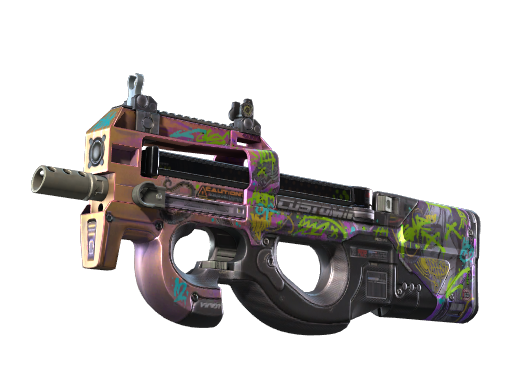
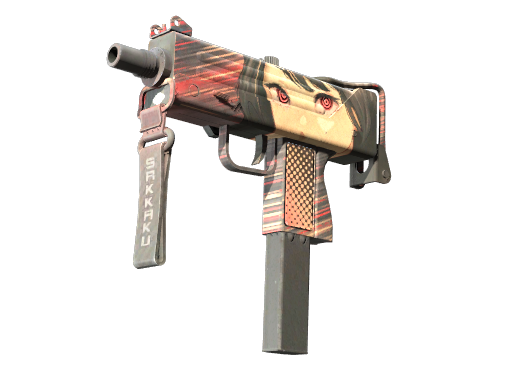
Items in total: 10. At the prices of the latest collection you need to invest 7.58 $.
Risk. Prices are from the latest collection (09.10 15:24 MSK). If the market is more expensive and the total comes out above 7.58 $, the calculation no longer holds. Recalculate first. Items from a third-party marketplace arrive by trade. They can go into a contract after 7 days.
Next: how to check the float ↓3How to check the float
Float is the item's wear number, from 0 to 1. Every item you buy must have it inside the “buy from–to” window.
- On marketplaces the float is shown on every listing.
- On Steam float — “Inspect in Game” on the listing, or the “Check floats on Steam” button on the craft page.
- Already bought: in the game “Inventory” → item → “Inspect” → the “i” icon at the bottom, the “Wear Rating” line.
Risk. If even one item is outside the float window, a skin of a different wear will drop, and the site's calculation will not apply to it.
Next: the contract in the game ↓4How to make the contract in the game
- Open the “Inventory” and click any of the skins you bought.
- Choose “Use With Trade Up Contract”: this is the contract.
- Add all 10, exactly the ones you bought. Check the names and wear.
- Sign the contract with the mouse and confirm — the new item appears in your inventory.
Risk. A signed contract cannot be undone, and an extra or wrong item changes the odds.
Next: what can drop ↓5What can drop
Chance of profit 100%. The “Net” column shows the amount after the Steam 15% fee.
| Outcome | Chance | Net | Result |
|---|---|---|---|
| AWP | Duality Factory Newon Steam 10.39 $ | 33.3% | 9.04 $ | +1.45 $ |
| P2000 | Wicked Sick Factory Newon Steam 16.10 $ | 33.3% | 14.00 $ | +6.42 $ |
| UMP-45 | Wild Child Factory Newon Steam 15.57 $ | 33.3% | 13.54 $ | +5.96 $ |
The skin that dropped can be sold on Steam: the money goes to your Steam wallet minus the 15% fee. You can also sell it on another marketplace, with its own fee and its own withdrawal terms. Compare before selling.
Risk. “Every outcome pays off” holds for the prices of the latest collection. While you buy and sell, the outcome may get cheaper.
Next: record the result ↓6Record the result
Write down what you bought and at what price, the float of each item, what dropped and what you sold it for. Send the record using the template from the “Tester's guide”. Such records make up the section “Proven in practice».
Risk. You cannot judge by one craft: in a single attempt both a gain and a loss are chance.